Why a Website is Your Small Business’s Most Important Asset
Running a local business or startup means every customer interaction counts. Without a centralized hub on the web, you miss out on high-intent local search traffic that social media feeds simply cannot capture.
The Shift from Social Media Pages to Full Digital Ownership
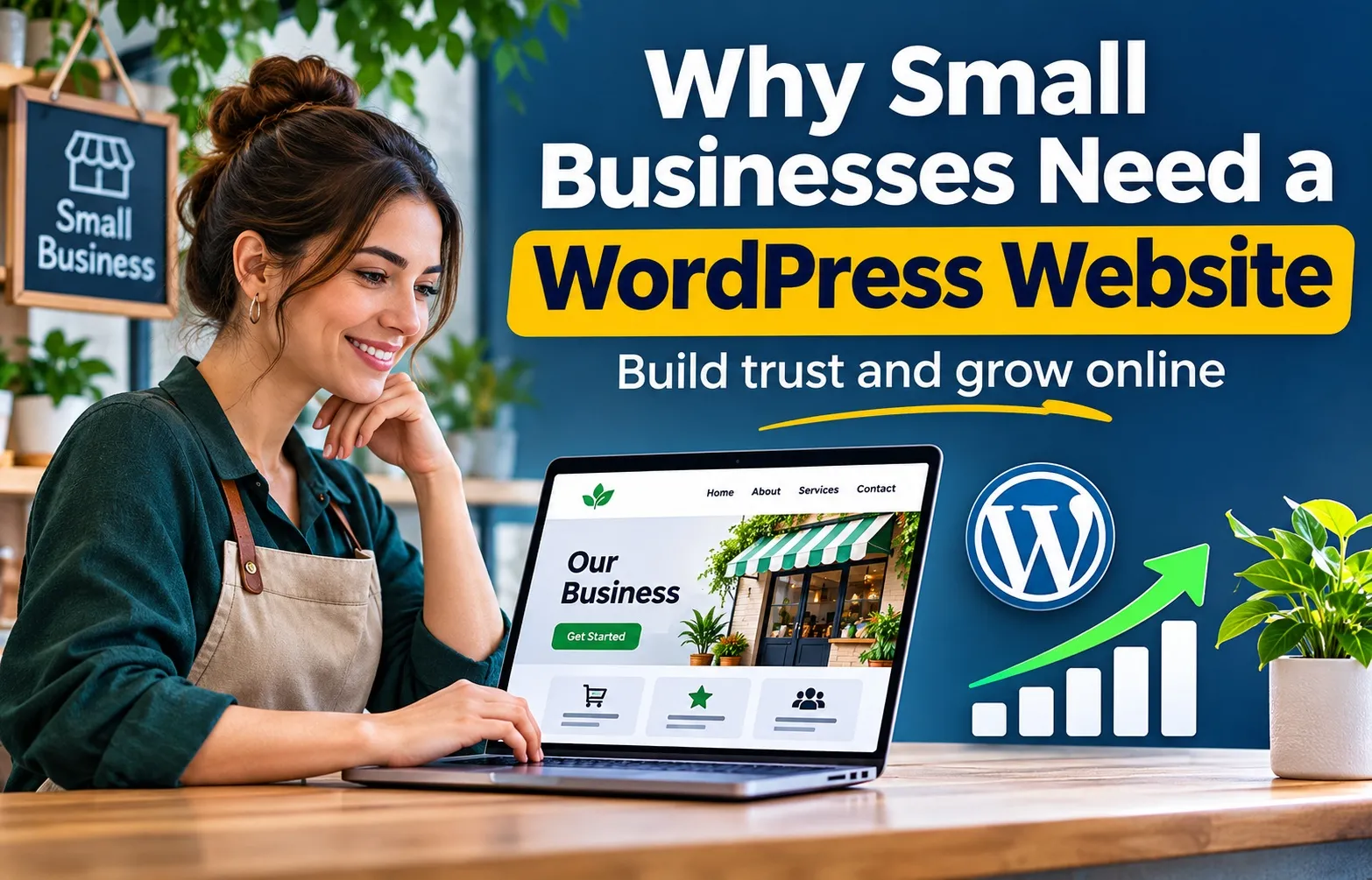
Relying solely on social media or rented profiles leaves your business vulnerable to algorithm shifts and policy changes. A dedicated website gives you 100% control over your customer data, brand messaging, and online reputation. It acts as your 24/7 storefront and primary trust-builder.
Consider a local service provider, such as a residential plumbing company or HVAC contractor, that relies entirely on a free business page on a social network. When platform algorithms change or ad costs spike, incoming inquiries can drop overnight without warning. Furthermore, local customers searching for urgent services expect to find a verified website with clear service areas, licensing information, and direct contact details.
Establishing a dependable online home allows you to build genuine brand trust and secure professional digital foundations and local SEO services that compound in value over time.
- Own your domain name, customer database, and content archives permanently.
- Display customer reviews, project portfolios, and clear pricing without third-party restrictions.
- Capture local leads directly through secure booking and inquiry forms.
Is WordPress Still Relevant Today?
WordPress remains the industry standard for small business websites because it powers over 40% of the entire web with unmatched flexibility. Unlike closed builders that restrict your code access, an independent WordPress installation gives you complete ownership and freedom to grow.
New business owners often wonder if open-source software requires advanced technical skills to maintain. In practice, modern setups allow anyone to manage daily content updates, publish blog posts, and add service pages without writing a single line of code.
- Choose a reliable, self-hosted WordPress foundation rather than restricted hosted alternatives.
- Install lightweight themes and essential plugins to keep page loading speeds fast for mobile users.
- Scale your site from a simple five-page brochure into a fully functional lead-generation engine as your business expands.
What Makes WordPress the Default Choice for 40%+ of the Web?
Choosing the right content management system shapes your long-term online growth, marketing costs, and operational flexibility. Understanding why a massive share of the web relies on this platform helps clarify its value for growing enterprises.
Open-Source Freedom vs. Proprietary Platform Lock-In
Open-source software means you own your code, database, and content entirely. Unlike closed builders where your site is tied to their servers and pricing models, WordPress allows you to migrate, modify, and scale infinitely without permission or platform lock-in.
When using proprietary website builders, your digital assets remain trapped within their ecosystem. If you decide to switch providers or outgrow their pricing tiers, moving your data can become costly or technically impossible.
- Retain absolute ownership of your database records and custom design files.
- Move your website host anytime without losing your established search visibility.
- Customize backend code to fit unique local business workflows.
Understanding the Difference Between WordPress.org and WordPress.com
Beginner confusion often stems from the two distinct versions of the platform. WordPress.org is the free, self-hosted software giving you total control over your hosting and files, whereas WordPress.com is a hosted blogging service managed by a separate commercial company.
For small business owners and startups aiming for professional growth, the self-hosted option provides the necessary infrastructure for advanced search engine optimization and custom plugins.
- WordPress.org: Downloadable software requiring independent web hosting and a custom domain name for full operational freedom.
- WordPress.com: A managed platform offering simplified setup with tiered restrictions on monetization and advanced plugin installations.
The 7 Core Advantages of Using WordPress for Small Businesses & Startups
Choosing the right content management platform directly impacts your marketing efficiency and online visibility. Evaluating these key benefits clarifies why growing enterprises rely on WordPress for long-term success.
1. Complete Cost-Effective Scalability (Pay for What You Need)
Starting a small business requires careful budget allocation. WordPress offers extreme cost-effective scalability because you only pay for your initial domain and hosting, avoiding the steep monthly subscription fees imposed by closed website builders as your business grows.
As your service offerings expand, you can scale your website architecture from a simple landing page to an extensive multi-location directory without platform penalties. Reviewing transparent pricing packages helps business owners choose development tiers that match their exact operational requirements.
- Avoid recurring platform surcharges that increase as your traffic grows.
- Add e-commerce, customer portals, or appointment booking systems gradually.
- Allocate saved capital toward marketing and local lead generation instead of software rentals.
2. Built-In SEO Friendliness That Ranks Locally
WordPress generates clean, indexable HTML code and integrates effortlessly with advanced optimization plugins like Rank Math. This makes it structurally superior for structuring local schema and ranking higher in search engine results pages across competitive US markets.
Search engines favor websites that load quickly and feature easily readable URL structures. The platform provides complete control over meta titles, XML sitemaps, and canonical tags without requiring complex code workarounds.
- Configure technical SEO elements using dedicated optimization tools.
- Implement structured data markup to help search engines display local business details accurately.
- Optimize image alt text and heading tags to capture nearby service searches.
3. Endless Customization Through Lightweight Plugins & Blocks
Customization should never compromise website speed or user experience. By avoiding heavy, bloated page-builder templates and relying on lightweight blocks, your site achieves fast mobile load times—which is crucial for retaining local mobile traffic searching on the go.
Thousands of functional extensions allow you to integrate contact forms, customer reviews, and security features instantly. This modular approach ensures your website only loads the specific code required for your business functions.
- Select minimalist block editors that prioritize clean code output over bulky design elements.
- Integrate trusted security plugins to protect user data and prevent unauthorized access.
- Add lead-capture forms customized for local customer inquiries.
4. Seamless Day-to-Day Content Management
Managing a business website should not require a computer science degree or constant developer intervention. The intuitive WordPress dashboard allows business owners to update operating hours, swap service photos, or publish updates directly from any device in minutes.
Streamlined editing workflows empower non-technical team members to keep business information accurate. This agility is vital for local service providers running seasonal promotions or updating emergency contact details.
- Log into a centralized dashboard from desktop or mobile browsers.
- Edit service page copy or blog announcements with simple visual controls.
- Maintain full revision histories to revert unintended changes safely.
What Do You Actually Need to Build a WordPress Website? (The Complete Setup Guide)
Launching a professional business website requires clear technical ingredients. Following a structured setup checklist prevents costly architectural mistakes from the start.
Step 1: Securing a Clean Custom Domain Name (.com)
Your custom domain acts as your permanent digital address on the web. Choose a short, brandable name ending in a standard extension like .com to ensure local customers easily remember and trust your business brand.
Avoid using complex spellings, numbers, or hyphens that create user friction during verbal referrals. Securing the right domain establishes immediate professional credibility in your target market.
- Keep the name concise and relevant to your local service or startup niche.
- Register the domain for multiple years to signal long-term business legitimacy to search engines.
- Confirm that corresponding business social media handles remain available before finalizing your choice.
Step 2: Choosing Reliable, High-Speed Web Hosting
Because WordPress is self-hosted, you must purchase independent web hosting (such as Hostinger or Cloudways) to store your website files. Look for servers offering 99.9% uptime, built-in SSL certificates, and fast SSD storage to ensure optimal site performance.
Selecting quality server infrastructure prevents server resource headaches and reduces hosting inode usage early on by keeping file clutter under control. Cheap shared hosting often overpacks servers, causing slow loading times for nearby mobile visitors.
- Verify that your hosting provider includes free automated daily backups and malware scanning.
- Ensure server data centers are physically close to your US target audience for faster response times.
- Choose scalable hosting plans that allow you to upgrade server memory as your website traffic grows.
Step 3: Installing WordPress and Configuring Your Theme
Once your hosting account and domain are active, most providers offer a one-click CMS installer for WordPress. Pair this fresh installation with a lightweight, clean-coded theme to establish a visually appealing foundation without slowing down your site.
Avoid installing heavy multipurpose templates packed with unused features that drag down mobile speed scores. Clean configuration ensures your site runs lean from day one.
- Run the initial software installation through your hosting dashboard control panel.
- Select a minimalist framework that avoids unnecessary styling scripts and heavy visual builders.
- Configure basic site settings, permalink structures, and admin user credentials securely.
Step 4: Essential Plugins for Security, Caching, and SEO
Adding specialized plugins equips your site with necessary defense and performance enhancements. Install trusted security plugins to block malicious login attempts and configure caching tools to accelerate page load speeds across all devices.
Keep your plugin count lean to minimize potential software conflicts and maintain smooth website operations. Every active plugin should serve a direct, measurable purpose for your business.
- Set up automated database optimization and caching to minimize server load.
- Install a dedicated firewall and login protection tool to safeguard client inquiry data.
- Integrate optimization plugins like Rank Math to manage XML sitemaps and on-page metadata.
WordPress vs. All-in-One Builders (Wix & Squarespace): The Honest Trade-Offs
Choosing between an open-source platform and a closed website builder requires weighing immediate setup convenience against long-term financial efficiency and search visibility control.
Is Maintenance a Burden or a Benefit?
Unlike all-in-one builders that handle updates automatically behind closed doors, a self-hosted WordPress site requires routine updates for themes, plugins, and core files. While this requires light maintenance responsibility, it prevents sudden platform price hikes and gives you absolute security control.
Taking charge of your website maintenance ensures your database remains optimized and secure from external threats. Closed platforms remove this responsibility, but they also lock you out of direct file access when custom adjustments are needed.
- Perform routine plugin updates to maintain optimal website security and performance.
- Keep complete backups of your database independently on your own terms.
- Avoid unexpected platform service disruptions or forced interface changes.
Breaking Down the Real Long-Term Costs
Proprietary builders market themselves as low-cost starting points, but their tiered subscription models and forced add-ons accumulate substantial expenses over time. As your business grows, these monthly platform fees scale upward while data portability remains restricted.
In contrast, self-hosted solutions require predictable, low-cost hosting expenses while offering unlimited database growth and free feature integration. Evaluating multi-year operating costs clearly reveals the financial advantages of open-source ownership.
- Compare recurring monthly software subscription charges against fixed hosting costs.
- Eliminate extra fees for essential marketing extensions and standard plugins.
- Retain full financial equity in your digital assets without platform rent traps.
Which Platform Fits Your Business Model Best?
Closed builders feature a gentler initial learning curve for absolute beginners who just need a basic, static landing page. However, WordPress wins overwhelmingly on long-term search engine visibility, content depth, and overall financial value for growing businesses.
As local service businesses expand into new regional markets or launch detailed informational content hubs, flexibility becomes paramount. Utilizing structured explore our specialized service offerings helps growing enterprises scale their technical infrastructure without hitting rigid platform ceilings.
- Select closed builders if you require a simple digital placeholder with zero technical setup.
- Choose WordPress if your goals involve heavy local search optimization, blogging, and continuous business expansion.
- Prioritize platforms that grant full access to underlying code and data structures.
Real-World FAQs: Addressing Common Small Business Objections
Business owners frequently raise valid concerns regarding platform difficulty, ongoing maintenance, and total ownership costs when exploring website builders.
Is WordPress too difficult for non-technical business owners?
WordPress is not too difficult for non-technical business owners to manage on a daily basis. While initial setup requires configuring hosting and plugins, publishing pages, updating text, and managing blog posts rely on intuitive visual editors. Most owners quickly adapt without needing to touch underlying code or developer tools.
Community discussions often highlight initial learning curves regarding plugin configurations and dashboard navigation. However, structured implementation allows local service providers to scale effectively across our operating service locations without technical bottlenecks.
- Utilize clean visual page builders to update service content easily.
- Delegate routine software maintenance to managed hosting providers.
- Access extensive community documentation and support tutorials whenever questions arise.
What are the main downsides of using WordPress?
The main downsides of WordPress involve ongoing maintenance responsibilities and potential plugin conflicts. Unlike closed builders that manage updates automatically, self-hosted sites require you to monitor security patches, software updates, and backups. This gives you absolute control, but it requires regular attention to keep your system secure.
Unvetted third-party plugins can occasionally conflict with core updates or slow down mobile performance. Reviewing the official WordPress open-source guidelines highlights the importance of choosing lightweight, reputable extensions.
- Perform routine software updates to prevent security vulnerabilities.
- Test plugin installations in staging environments before updating live pages.
- Maintain reliable automated backup systems to protect business data.
How much does a WordPress website cost compared to Wix?
A WordPress website generally costs less over time than Wix because core software is free and open-source. While Wix charges flat monthly subscription tiers that scale up with features, WordPress only requires paying for your custom domain and independent web hosting, saving significant capital as your business grows.
Proprietary builders tie your monthly expenses directly to platform growth and feature access. Open-source solutions liberate businesses from recurring platform rent traps.
- Pay predictable, low fixed annual costs for secure domain registration and hosting.
- Avoid forced platform surcharges for basic business features and extensions.
- Control your exact budget by selecting hosting plans tailored to your traffic volume.
Conclusion & Taking the Next Step for Your Business Growth
Building a sustainable online presence requires choosing a platform that prioritizes long-term asset ownership, cost control, and search visibility. Evaluating your digital foundation today protects your marketing investments tomorrow.
Summary: Why WordPress Remains the Smartest Foundation
WordPress remains the premier content management choice for small business growth because it provides complete data ownership, unmatched structural flexibility, and superior local search optimization without imposing the financial burden of recurring proprietary platform subscription fees.
Selecting an open-source framework ensures your business website adapts to changing marketing demands without platform rent traps. By focusing on clean architecture and reliable hosting, you create a stable digital asset that scales seamlessly.
- Maintain full control over your source code, files, and customer database permanently.
- Eliminate hidden platform surcharges as your local web traffic and page views expand.
- Leverage robust optimization tools to capture high-intent nearby customers effectively.
Ready to Build or Optimize Your Business Site?
Assessing your current website strategy and performance optimization metrics allows you to identify technical bottlenecks before they impact your local search rankings or customer trust. Taking an objective look at your existing setup ensures your digital storefront drives consistent growth.
Whether you are launching a brand-new startup page or revamping an underperforming domain, thorough planning yields better long-term results. Reviewing your technical configuration helps establish a reliable foundation for future customer acquisition.
- Audit your current page load speeds and mobile responsiveness metrics regularly.
- Verify that your hosting infrastructure and security certificates meet modern standards.
- Refine your core service pages to clearly communicate value to local visitors.